Contents
About the Ergotron LX Desk Monitor ArmAlternatives at a glanceWeight rangeReachMountingBuildThe alternativesFAQsYour monitor sits on its own stand, too low and too close, and you cannot get it where you want without stacking books under it. A monitor arm fixes that, and the Ergotron LX is the one many people hear about first. It is widely used and known for smooth, counterbalanced movement and a solid aluminium build. The price is fair for what it is, but there are cheaper gas-spring arms that do the same basic job.
This guide explains what to compare when choosing an alternative and lists gas-spring monitor arms at lower prices. It covers weight range, reach, mounting options and build materials, which together decide whether an arm will hold your screen steady. It also covers the questions people often miss, such as desk thickness, VESA holes and whether an ultrawide or heavier monitor will stay put once it is up in position.
About the Ergotron LX Desk Monitor Arm
The LX is a single aluminium monitor arm with a desk clamp or grommet mount, VESA compatibility and a counterbalanced lift for height, tilt, pan and rotation.
Alternatives at a glance
- VIVO White Dual Monitor Arm, £29.99 save about £140.01
- Invision 100mm Monitor Arm, £19.99 save about £150.01
- BONTEC 10kg 430mm Dual Monitor Arm, £22.19 save about £147.81
- ErGear 100mm Dual Monitor Arm, £22.96 save about £147.04
- BONTEC 10kg White Dual Monitor Arm, £29.04 save about £140.96
- WALI Dual Black Dual Monitor Arm, £44.99 save about £125.01
- HUANUO 100mm Monitor Arm, £27.97 save about £142.03
- HUANUO 100mm Dual Monitor Arm, £39.97 save about £130.03
Weight range
Every gas-spring arm has a stated weight range, with both a minimum and a maximum. Your monitor's weight, without its stand, must sit inside it. Too heavy and the screen droops; too light and it springs upwards. Arms work most reliably when the monitor sits in the middle of the range rather than at either end. Look up your monitor's weight without the stand in its specifications, and check the arm lets you adjust spring tension easily.
Reach
The LX offers a generous reach, so you can pull the screen close for detailed work and push it back towards the wall. Check an alternative's extension length if that matters to you, along with how high the pole and arm can lift. Deep desks need more reach to bring the screen to a comfortable distance. Tall pole designs help if you stand at a sit-stand desk, since the screen needs to rise with you.
Mounting
Most arms fix with a desk clamp, a grommet mount through a hole in the desk, or both. Measure your desk thickness and check it fits the clamp range. Also check there is clear space under the desk edge, since a frame rail or drawer can block the clamp. Thin or soft desktops may need a reinforcing plate to spread the load. Glass desks are generally not suitable for clamp mounting.
Build
Aluminium arms tend to feel sturdier and lighter than steel or plastic designs, and the LX uses aluminium throughout. Some cheaper arms mix aluminium and steel, which is fine if the joints are tight. Look at how the cables are managed, whether the tilt holds firm, and whether the VESA plate is quick-release. A quick-release plate makes the first fitting easier, since you can attach it to the screen before lifting it on.
The alternatives

1.VIVO White Dual Monitor Arm
VIVO White Dual Monitor Arm is our pick for closest match. Specs worth noting: size 27 inch, colour White. It averages 4.4 stars from 58,546 reviews. £29.99, so you pay a bit more for the spec. You can see the full specs and photos on the VIVO White Dual Monitor Arm page.
Compare it with the rest of our dual monitor arms.

2.Invision 100mm Monitor Arm
If you want the best value, start here. Specs worth noting: size 32 Inch, max load 9kg. It averages 4.6 stars from 9,923 reviews. £19.99, one of the cheaper options here. Full details, sizes and photos are on the Invision 100mm Monitor Arm page.
Tool Free Height Adjustment with Tilt Swivel Rotate
Increased Load Capacity from 2-9kg MX200 Single Arm
There are other options in our monitor arms range too.

3.BONTEC 10kg 430mm Dual Monitor Arm
BONTEC 10kg 430mm Dual Monitor Arm is our pick for dual arm. Specs worth noting: size 27 Inch, max load 10kg, colour Black. It averages 4.5 stars from 39,159 reviews. £22.19, one of the cheaper options here. You can see the full specs and photos on the BONTEC 10kg 430mm Dual Monitor Arm page.
Full Motion Adjustable Monitor Arm with 360° Rotation
Height Adjustable up to 430mm
There are other options in our monitor arms range too.

4.ErGear 100mm Dual Monitor Arm
If you want the best budget, start here. Specs worth noting: size 32 Inch. It averages 4.4 stars from 21,801 reviews. £22.96, one of the cheaper options here. Full details, sizes and photos are on the ErGear 100mm Dual Monitor Arm page.
Adjustable Tilt 90°/ Swivel 180°/ Rotate 360°/ VESA 75/100mm
There are other options in our dual monitor arms range too.

5.BONTEC 10kg White Dual Monitor Arm
If you want something for heavy screens, start here. Specs worth noting: size 27 Inch, max load 10kg, colour White. It averages 4.5 stars from 39,159 reviews. £29.04, one of the cheaper options here. Full details, sizes and photos are on the BONTEC 10kg White Dual Monitor Arm page.
VESA 75x75/100x100
Full Motion Tilt
There are other options in our dual monitor arms range too.
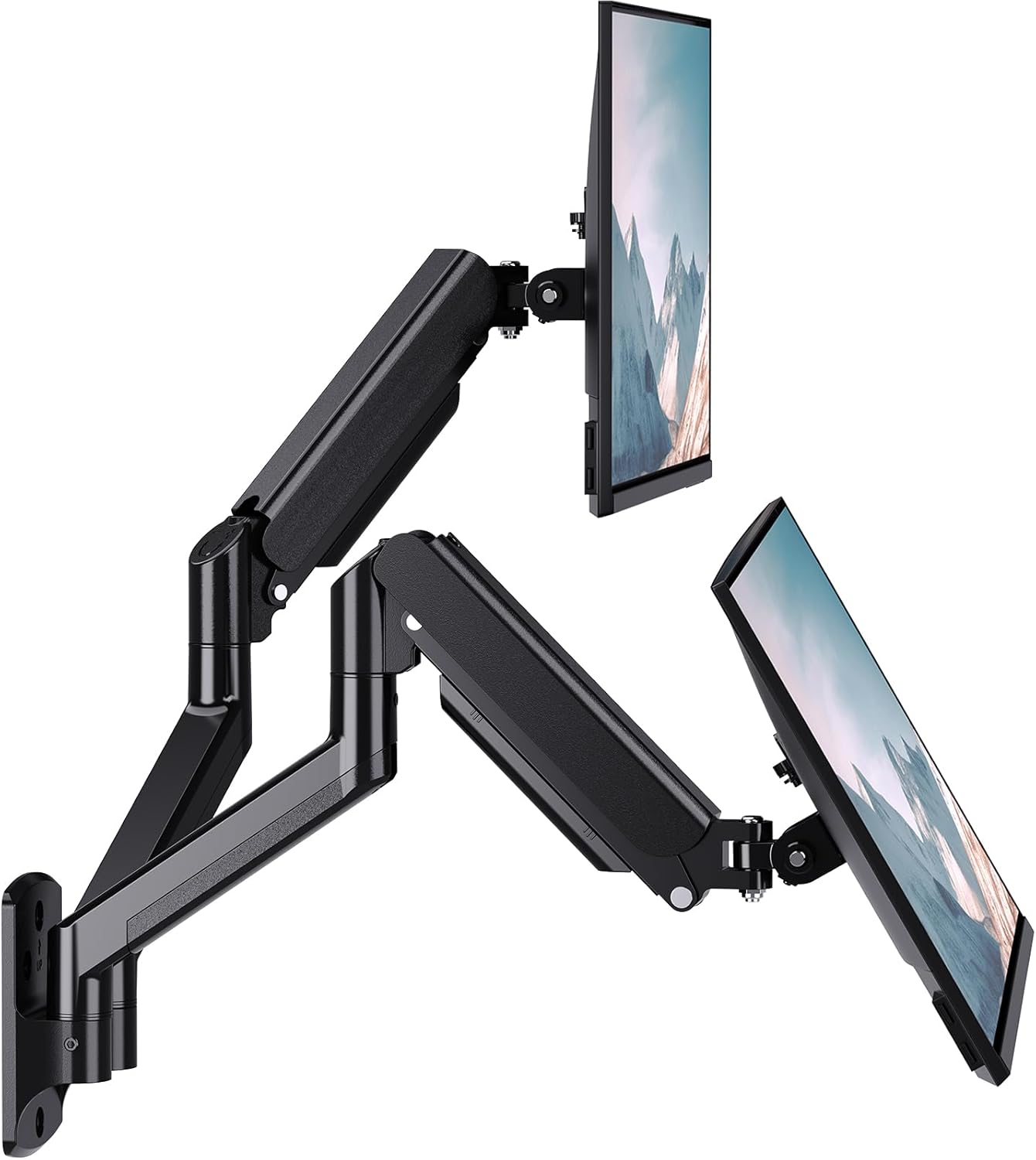
6.WALI Dual Black Dual Monitor Arm
If you want the best compact, start here. Specs worth noting: size 32 Inch, colour Black. It averages 4.4 stars from 25,580 reviews. £44.99, so you pay a bit more for the spec. Full details, sizes and photos are on the WALI Dual Black Dual Monitor Arm page.
Black
Compare it with the rest of our dual monitor arms.

7.HUANUO 100mm Monitor Arm
HUANUO 100mm Monitor Arm is our pick for for ultrawide. Specs worth noting: size 32 inch, max load 9kg. 15,410 buyers rate it 4.6 out of 5. £27.97, one of the cheaper options here. You can see the full specs and photos on the HUANUO 100mm Monitor Arm page.
75 & 100mm VESA Mount
Load 9kg
Compare it with the rest of our monitor arms.

8.HUANUO 100mm Dual Monitor Arm
This is the one we would point most people to for with usb. Specs worth noting: size 32 Inch. It averages 4.6 stars from 12,116 reviews. £39.97, so you pay a bit more for the spec. Have a look at the HUANUO 100mm Dual Monitor Arm for the full spec.
Double Screen Arm Support VESA 75 & 100 mm
Compare it with the rest of our dual monitor arms.
Prefer to browse everything? Our full ranges of monitor arms and dual monitor arms have more sizes, finishes and price points than we could fit here.
Frequently asked questions
Are cheaper monitor arms reliable?
Many are, especially when your monitor sits comfortably within the stated weight range. Problems usually come from overloading an arm or fitting it to a desk that flexes. Read what other buyers say about drooping or loose joints, and check the warranty length.
Will a monitor arm fit my desk?
Check the clamp range against your desk thickness, and look underneath for rails, drawers or a lip that could get in the way. Make sure there is room behind the desk for the arm to swing. A grommet mount is an option if your desk already has a cable hole.
Can a monitor arm hold an ultrawide?
Some can. Check both the weight limit and the maximum screen size, since an ultrawide's width adds leverage on the joints even if its weight is within range. Curved and very wide screens often need an arm rated for heavier loads.
Do I need VESA mounting holes?
Yes, or an adapter. Most monitors have a 75mm or 100mm VESA pattern on the back. If yours does not, some makers sell an adapter, and universal brackets that clamp the screen edges exist too. Check the screen's specifications before ordering an arm.